Karhubet login – How to sign in to your account
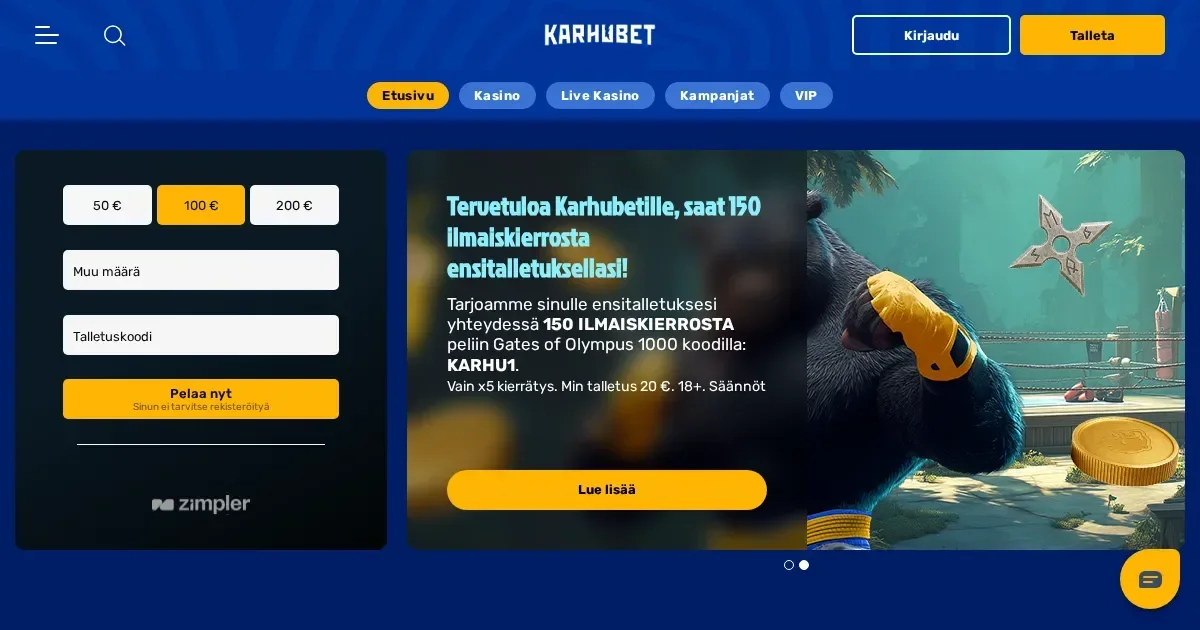















Signing in, step by step
Your Karhubet account lives on the operator's own platform, and only the operator can restore, unblock or verify it. This page explains the sign-in route and what to do when access fails, but account issues are resolved through the operator's support channels, not through this portal.
Here's the route to your account:
- Open the operator's site in your browser – type the address or use a bookmark you saved yourself.
- Find the sign-in button and click it.
- Enter the email address and password you chose when you registered.
- Confirm and you're in.
No account yet? Registration happens on the operator's platform too – this portal doesn't process sign-ups.
What signing in looks like on a phone
The same account and the same password work on mobile. Open the operator's site in your phone's browser, tap the sign-in button, and enter your credentials. The session behaves like the desktop one – same features, same limits, same balance.
No separate app is mentioned in the operator's published material, so the mobile route is the browser.
What to do when it fails
Sign-in problems usually come down to a handful of causes, and most of them can be fixed in a minute:
- Wrong credentials – Double-check the email address you registered with, and make sure caps lock is off when you type the password.
- Unverified account – The operator carries out verification procedures for players with cumulative deposits totalling €2,000 or currency equivalent. If verification is pending, you may need to upload proof of identity, utility bills, or copies of payment methods before access is restored.
- Session expired – Close the browser tab, clear your cookies, and try again from a fresh page.
- Self-exclusion in force – Accounts closed for self-exclusion cannot be reopened until the period expires. If you set an indefinite exclusion, reopening requires a 7-day cool-off period from the day of the request.
- Browser issue – Try a different browser or device to rule out a local cache problem.
If none of those apply, the block may be on the operator's side – verification hold, a payment review, or something else flagged in the account. Contact the operator's support team with the details.
Forgotten passwords
The operator sends password reset links to the email address you used at registration. Look for a "Forgot password?" or "Reset password" link on the sign-in screen, enter your registration email, and check your inbox – the message usually arrives within a few minutes.
If the email you registered with is no longer reachable, contact the operator's support at [email protected]. You'll need to prove you own the account – have your registration details ready, and be prepared to answer security questions or provide documents.
Why an account gets blocked
Verification holds are the most common reason for restricted access. The operator requires copies of proof of identity, utility bills, copies of payment methods, and bank statements once cumulative deposits reach €2,000 or currency equivalent. Politically Exposed Persons are not allowed to register, play or deposit, and detection results in account closure.
Inactivity triggers a different kind of hold. An account is deemed inactive if no successful deposit or wager takes place for 12 consecutive months. The operator notifies you after 11 months, and a monthly inactivity fee of €5 is applied 30 days later. The fee is deducted until the balance reaches zero or the account is reactivated. If the balance is lower than €5 at the time of inactivity, the remaining balance is deducted and the account is closed.
Multiple accounts from the same household, device or IP address are strictly prohibited. The operator may presume collusion and forfeit winnings if an account is linked to another. Using VPNs, proxy servers, anonymisation services or location-masking software is also banned – detection may result in restricted access, voided bonuses, withheld winnings and account termination.
Who to contact
Account problems go to the operator's support team at [email protected]. VIP players can choose to be reached via chat, email, call or instant message. Response times aren't published, so expect a wait – have your registration email, the exact message on screen, and when the problem started ready before you write.
If you're locked out and can't prove you own the account, the operator will ask for documents. The more detail you can give upfront, the faster the process.
Keeping access safe
Sign in only on the operator's own address – typed by hand or saved as a bookmark you made yourself. Never follow a link in an email or a message, even if it looks genuine. Phishing pages are designed to steal credentials, and the only way to spot them is to ignore them entirely.
Use a password you don't use anywhere else. If a password is reused and one site leaks it, every account with that password is at risk. Two-factor authentication isn't mentioned in the operator's published terms, so the password is the only gate.
On a shared device, sign out when you're done. A session left open is an account left open.
Gambling should be entertainment, not a chore. You must be 18 or over (18+) to hold an account with this operator. If gambling ever stops feeling like fun, free confidential support is available through BeGambleAware, GamCare (National Gambling Helpline: 0808 8020 133, free, 24/7), and GamStop for free national self-exclusion. Blocking software such as Gamban and BetBlocker can prevent access across all devices.
This page is for information and marketing purposes only. We are not a casino operator, a bookmaker or an organiser of gambling. Access to this content is restricted to persons aged 18 and over (18+). We encourage you to gamble responsibly – for free, confidential support visit BeGambleAware.org.
Frequently asked questions
What do I need to sign in to my Karhubet account?
You need the email address and password you chose when you registered. Open the operator's site, click the sign-in button, enter your credentials and confirm. The same details work on desktop and mobile.
What should I do if I've forgotten my Karhubet password?
Use the password reset link on the sign-in screen. The operator will send a reset message to your registration email. If you no longer have access to that email, contact [email protected] with proof that you own the account.
Why is my Karhubet account blocked?
Common causes include pending verification (required once deposits reach €2,000), inactivity for 12 months, self-exclusion in force, or detection of multiple accounts or VPN use. Contact the operator's support team for the specific reason.
Can I sign in to Karhubet from my phone?
Yes. Open the operator's site in your mobile browser and use the same email and password as on desktop. No separate app is mentioned in the operator's published material.
Game Providers